Pace Clock Guide
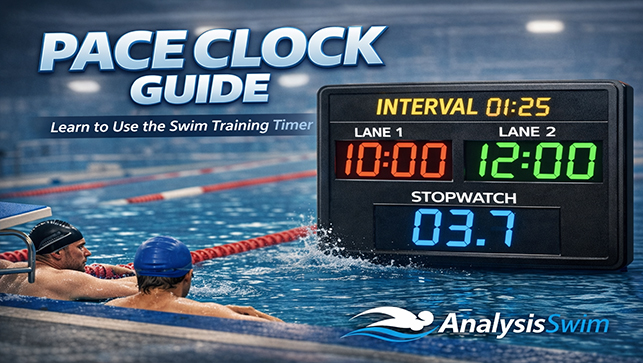
Build a swim workout, press Start, and let Pace Clock manage the timing, repetitions, rounds, sound, and on-screen instructions.
This guide covers the controls and settings you need on the pool deck.
Quick Start
1. Build the workout
Set the Pool Length in Workout Details, then add blocks and sets with repetitions, distance, interval, stroke, and notes.
2. Check the timing
Set block rounds and, when groups need different send-offs, enable Adaptive Pace Clock for that block.
3. Run the session
Press Start. Pace Clock advances through repetitions, sets, blocks, and rounds automatically.
How a Workout Is Organised
A workout contains one or more blocks. Each block contains sets, and each set contains repetitions.
Block
A section of the workout, such as Warm-up, Main, Sprint, or Cool-down.
Rounds
The number of times that block repeats. Rounds apply to the selected block, not the whole workout.
Set
One workout row containing repetitions, distance, interval, stroke, equipment, rest, and notes.
Repetition
One repeat inside a set. For example, 8 × 50 @ 1:00 contains eight repetitions.
Pool Length and Adaptive Pace Clock
Pool Length belongs to the whole workout. Adaptive Pace Clock is configured separately inside each block, because different parts of a session can have different training goals.
Pool Length
Choose 25m, 50m, 25y, or 50y once in Workout Details. The choice applies to every block and set.
Adaptive by Block
Enable Adaptive Pace Clock only in blocks that need separate Master, PC2, and PC3 groups. Other blocks continue with the Master Set only.
Calculation Strategy
Finish Time keeps groups together, Distance protects training volume, and Balance combines both priorities.
PC2 and PC3 Difference
Enter each group's pace difference in seconds per 100. PC2 and PC3 can be enabled independently, so a block may use two groups instead of three.
Safe Automatic Distances
The calculation uses the Master Set, the selected pool length, and permitted finish windows. Automatic distances finish at a pool wall and never stop a swimmer mid-pool.
Coach Overrides
Open a Set's additional fields to enter manual PC2 or PC3 repetitions, distance, or interval. A coach's manual value always takes priority over the automatic result.
Timing Fields
Interval
The send-off time for every repetition. With 8 × 50 @ 1:00, a new repetition starts every minute. The swimmer's work and recovery both fit inside that minute.
Set Rest
Extra recovery after all repetitions in that workout row have finished.
Preparation Time
A countdown before the workout begins, giving swimmers time to get ready.
Rest Between Rounds
Recovery after a completed block round. It is not added after the final round.
Main Controls
Start / Pause
Starts the workout, pauses the active clocks, and resumes from the same position. If the selected Set changes, Start begins that newly selected Set from its beginning.
Skip / Lap
In Pace Clock mode, moves past the current timing step. In Stopwatch mode, records a lap.
Previous / Next
Moves backward or forward through the workout when manual navigation is needed.
Reset
Stops the session and returns the workout timer to the beginning.
Block and Round
The status controls show the active block and round and allow quick manual selection when required.
Lock
Locks important controls to reduce accidental changes during a training session.
Pace Clock Mode
Runs structured workouts using blocks, sets, repetitions, intervals, rounds, rest periods, and automatic progression. In adaptive blocks, Master, PC2, and PC3 run together and the workout waits for the last active group before moving on.
Stopwatch Mode
Provides open timing without automatic intervals. Use Lap to record splits during tests, races, or free timing.
TV Mode
Opens a large full-screen display for a pool-deck monitor, laptop, projector, or television. Essential timing controls remain available.
Settings
Open the Settings panel before training to configure how the timer behaves.
Commands
Choose Voice, Beep, Both, or Off.
Stroke Rate
Runs a metronome at the selected strokes per minute during active swimming work.
Stagger Starts
Provides delayed start cues for swimmers leaving at fixed gaps in the same lane or group.
Language
Changes the interface language and supported spoken commands.
Presets
Loads a prepared timing configuration or saves settings that you use regularly.
Factory Reset
Restores the application settings to their defaults. Use it only when you want to clear your configuration.
Workouts, Statistics, and Printing
Workout Builder
Create or edit Workout Details, Pool Length, blocks, rounds, Adaptive Pace Clock groups, and sets before loading them into the timer.
Workouts
Save sessions for reuse and open saved workouts from the workout library.
Statistics
Review calculated distance, estimated duration, set totals, and available workout-library summaries.
Print / PDF
Creates a clean A4 workout sheet. Use the browser print dialog to print it or save it as a PDF.
Before Training
Check the workout first. Confirm Pool Length, intervals, repetitions, block rounds, adaptive groups, and rest before pressing Start.
Allow audio. Make sure the device is not muted and interact with the page before relying on voice or sound cues.
Keep the screen active. Prevent the device from sleeping during the session.
Use short notes. Labels such as “Kick”, “Pull”, “Drill”, “Easy”, and “Race Pace” are easier to read quickly.
Use TV mode for groups. A full-screen clock is easier to see from the pool.
Quick FAQ
What does 8 × 50 @ 1:00 mean?
Swim eight repetitions of 50 metres, starting a new repetition every 1 minute.
Does a round repeat the whole workout?
No. A round repeats the block in which it is configured.
Is Pool Length configured for every Set?
No. Pool Length is selected once in Workout Details and applies to the complete workout.
Can I use PC2 without PC3?
Yes. PC2 and PC3 are independent. Turn PC3 off in that block and the display will show only Master and PC2.
Can an adaptive distance finish in the middle of the pool?
No. Automatic distances are aligned with the selected pool length. A coach can still enter an intentional manual override.
What happens when I enter manual PC2 or PC3 values?
Manual coach values are kept and used instead of the automatic calculation for those fields.
Can I time a swim without building a workout?
Yes. Select Stopwatch mode and use Start, Pause, Lap, and Reset.
Can I use Pace Clock without sound?
Yes. Set Commands to Off and follow the visual timer.
Can I use it on a phone, tablet, laptop, or TV?
Yes. The interface is responsive, and TV mode is designed for larger displays.
Can I print a workout?
Yes. Print Workout creates an A4 layout that can also be saved as a PDF.
Ready to Start
Build the workout, check the timing, choose the commands, and press Start.